
Discover 4 types of Enrolment Offer Statuses
Enrolment Offer Open
When the application has Passed Leadership’s Review, it will be up to staff to make the offer of enrolment from the Enrolment Offer tab. The offer of a place is emailed in bulk or individually.
To make offers in bulk, select the profiles required from Contacts.
- Bulk Action > Change Status > Enrolment Offer (your school may have renamed this)
- Bulk Action > Make Offer
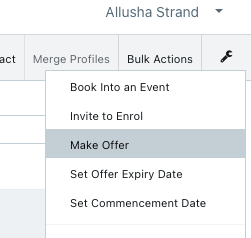
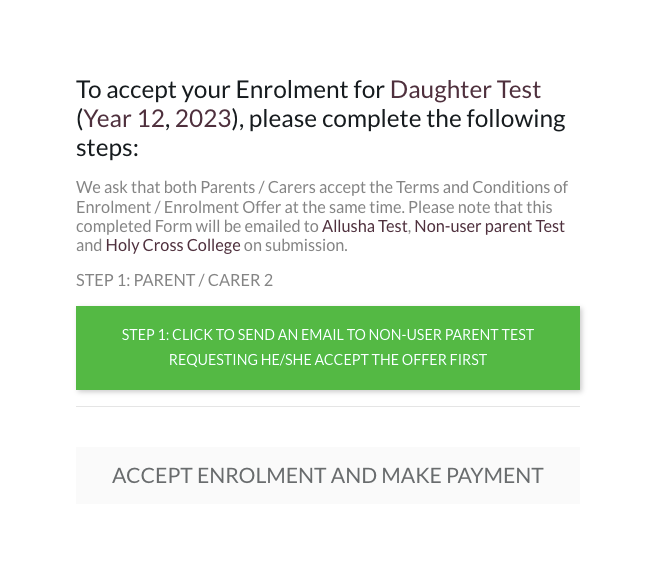
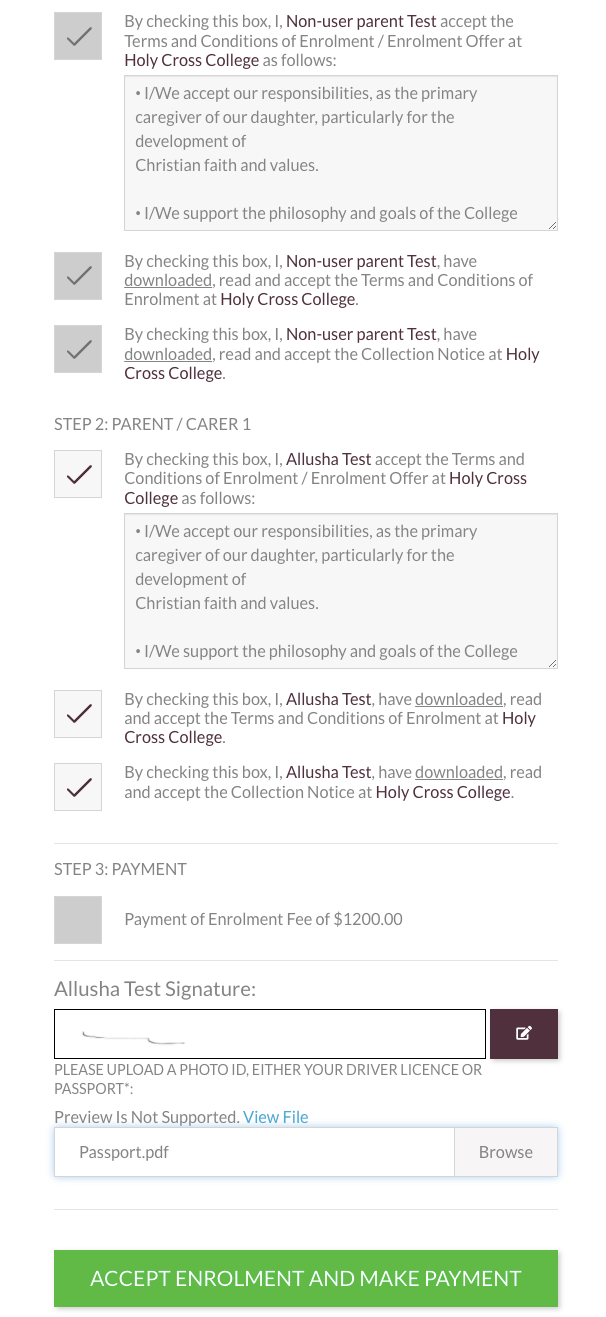
In Enrolment Dashboard, this opens up an option to the User Parent to accept the enrolment offer.

Enrolment - Offer Accepted
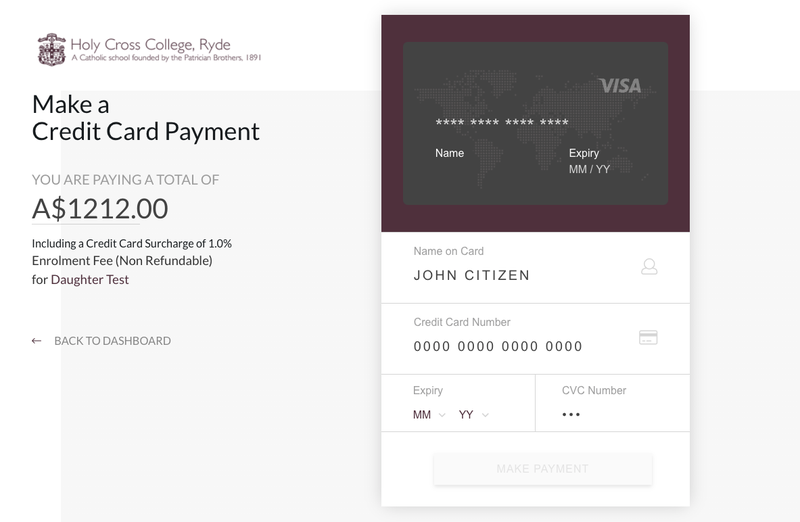
When a parent accepts the offer and pays the enrolment fee they receive a system automated email confirming the acceptance and a bundled PDF receipt and acceptance contract.
The Student's Profile automatically moves into Orientation stage.
Enrolment Offer Expired
The Enrolment offer comes with an acceptance deadline entered in your Settings. If the parents fail to accept the offer in time the 'Accept Enrolment' button in Parent Dashboard stops working.
Staff can run reports and automated emails to follow-up with parents who have yet to accept the place.
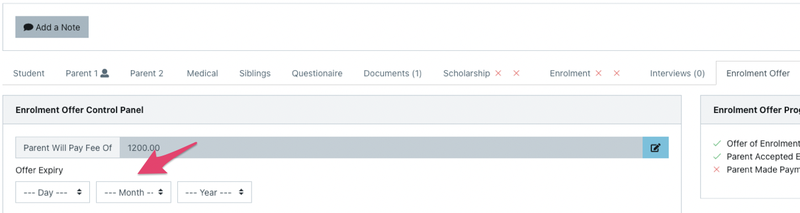
There is often a default grace period of a few days after the final acceptance date within which parents still can accept the offer. If parents want to accept the offer after the grace period staff must manually change the Offer Expiry in the Enrolment Offer Control Panel of the Student's Profile.
Offer Declined by Parent or Staff
This stage is used after the school has sent out an enrolment offer but the parents decline. Keeping these profiles separate allows the school to keep statistics on how many of their enrolment offers are accepted or declined in order to find causes and make improvements.
This process is managed by staff after they have received communication from the parent 'declining the offer' or when the school removes/declines the offer after the parent has allowed the offer to expire or for any other reason.
Go to the Enrolment Offer Control Panel in the Offer tab of the student's Profile:
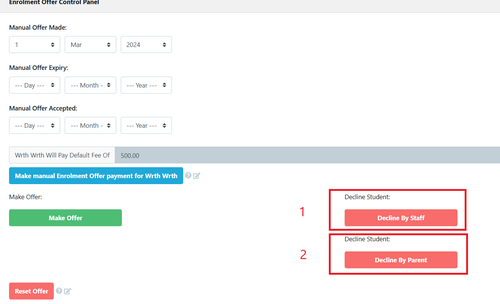
- Decline by Staff - when you select this the stage of the application is changed and an email is sent (see email settings >templates > Application for Enrolment > Enrolment declined by staff parent
- Decline by Parent - when you select this the stage of the application is changed and an email is sent (see email settings >templates > Application for Enrolment > Enrolment declined by parent parent