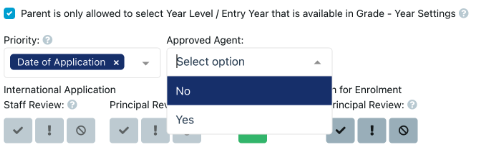
We hope you find these EnrolHQ tips and recommended steps helpful when an Education Agent is making an application on behalf of a family.
Navigating Steps with Applications From Education Agents
If an Education Agent is to make an application on behalf of a family (especially a family from a non-English speaking background), should contact the school before making an application and provide the following details:
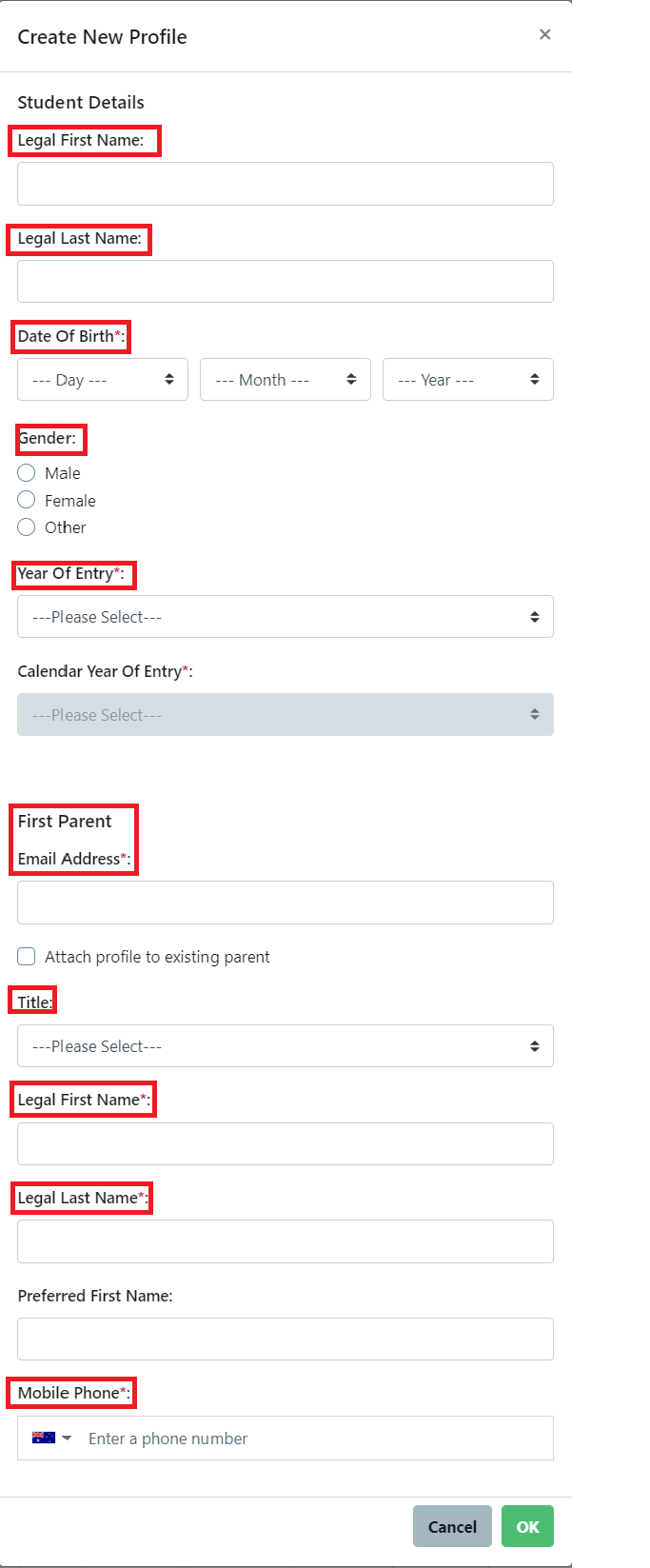
The agent must complete the application as if they were the Primary Carer Parent, using the parent's email address for the application.
Once the Student Profile has been created using the parent's email address the 2FA needs to be removed and a password set for the agent under Parent 1 (Primary Carer).
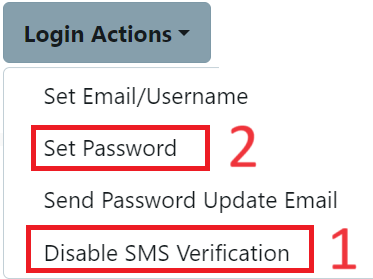
The agent then signs into the school's Enrolment Dashboard with the parent's email address and the password set by the school to complete the application on behalf of the family.
The parent will receive an email asking them to verify the email address. This indicates the parent's consent for the agent to apply on behalf of their child/children and to prevent fraudulent actions and applications.
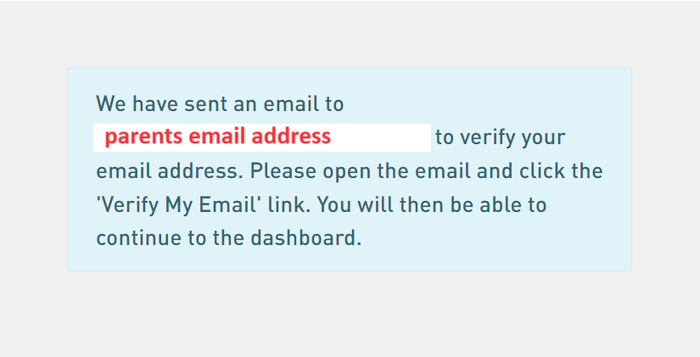
The parents can at anytime sign into the Enrolment Dashboard with the same credentials as they will need to sign the form online after the agent has advised them of the content.
Schools with international students can record the agent's details in application form. This section allows families/agents to enter their details such as:
- Has an agent helped with this application?
- Agent Name
- Company
- Email Address
- Contact Number
How to activate the agent field in EnrolHQ
- School Details > Fields Options
- Enable the Non-Resident Label option (you can rename it if needed).
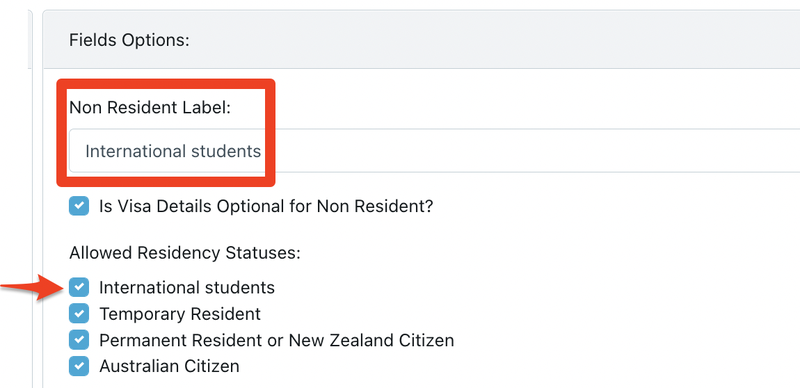
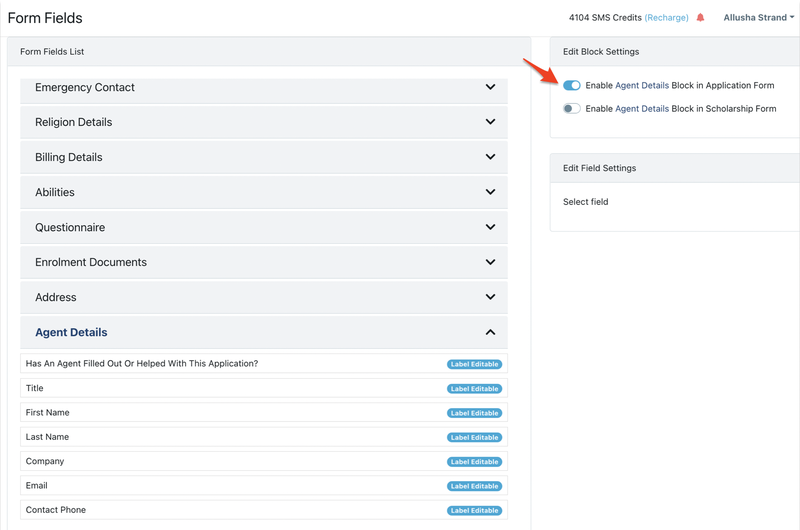
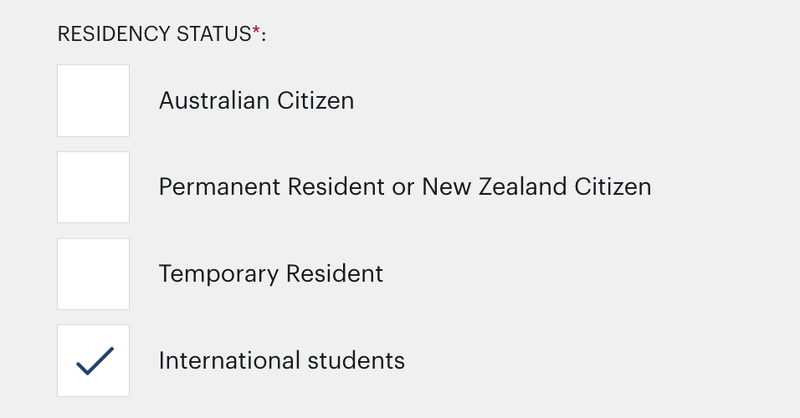
You will now find the agent question being activated when parent chooses a non resident Residency Status (renamed international students).
If you want to manually check off that the agent is approved by the school, you can create a student profile category and then filter these students under All Contacts.