
We hope you find these EnrolHQ tips and recommended steps helpful in your Expression of interest, application, waitlist and not proceeding statuses.
Wait List
This is a manual Stage that you can use as a holding bucket for the student profiles that are to be wait listed so you can come back to these later. As you are going through each application, you can move them to the 'Wait List' stage using the Stage dropdown.
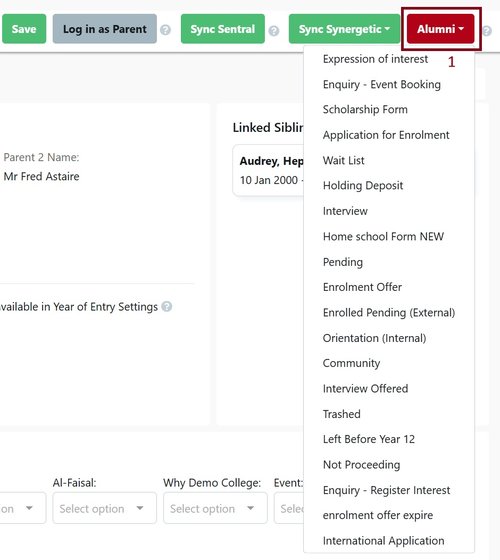
- Choose another option from the dropdown menu to change the Stage.
To enable Wait List for your school, go to Settings > Enrolment Journey Stages and enable "Wait List" in the first column, the second column shows the Stage on the parent's Enrolment Dashboard view. You may or may not wish to display this.
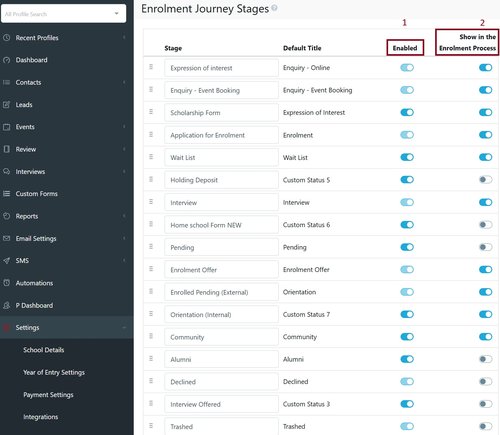
- Enables the stage in the Enrolment Journey
- Displays for the parent in their Enrolment Dashboard
If a Stage is not displayed for the parent, they will see the previous Stage of the Enrolment Journey that is displayed.
Not Proceeding
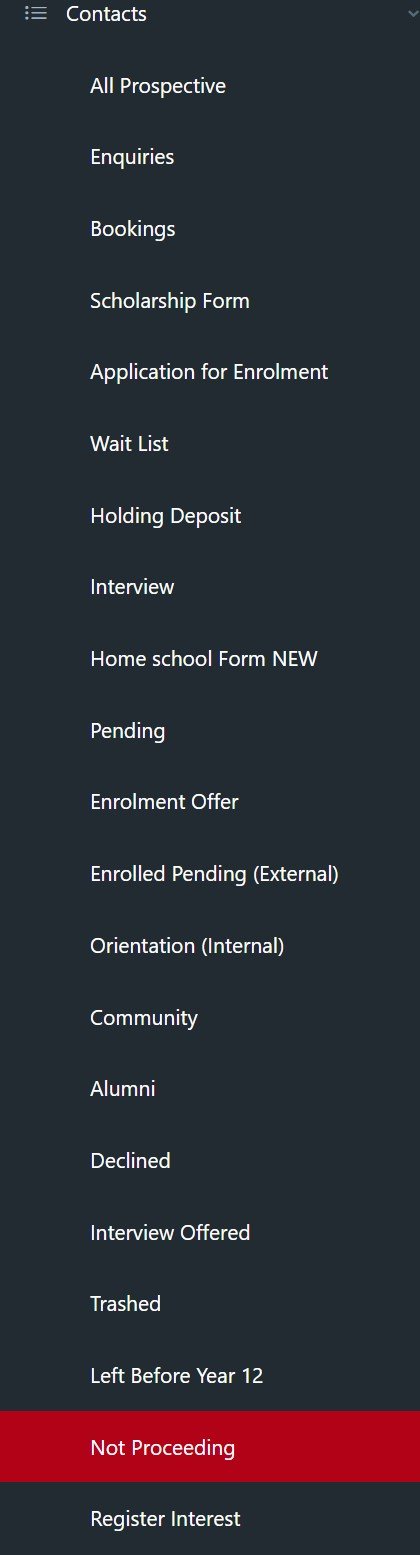
This Stage can be used under any Stage in the Enrolment Journey if a parent informs the school that they are not going to move on with their application (eg. they have been on a tour or sent in an enquiry and are not interested in proceeding, or if staff cannot get a hold of parents to complete the application). This Stage hides the student's Profile in a separate place so that his/her information doesn't display when staff searches or filters the remaining applicants under All Prospective.
Enrolment - New Application
These are applications that have been submitted and the parent has paid the application fee. Schools not using a Wait List Stage may leave applications here for a while (could be years) until it is time to start conducting interviews and making offers. If your organisation is using a Wait List Stage, applications may sit here until the application has been reviewed by staff and is deemed to be complete enough to add to the Wait List.
Steps:
- The parent completes the application form and makes payment (if required).
- A receipt is automatically emailed for the payment.
- The parent gets a copy of their application form sent by email or can it can be downloaded from the Parent Dashboard.
- Staff check the application and request more information or new copies of documents if required.
To filter for these students you can add a Year of Entry filter and a Calendar Year of Entry filter

If the application is missing documentation or has been filled out incorrectly staff can send an email to the parent asking them to refill and complete the form or upload additional documentation by reopening the form in the Application for Enrolment Control Panel in the student Profile.
Enrolment - Incomplete Application
This is a sub-filter to let you search for incomplete applications only. The 'Days Since Login' column will show you when the last time the parent logged in. A good rule of thumb is to follow up with parents between 7-14 days since the last login.
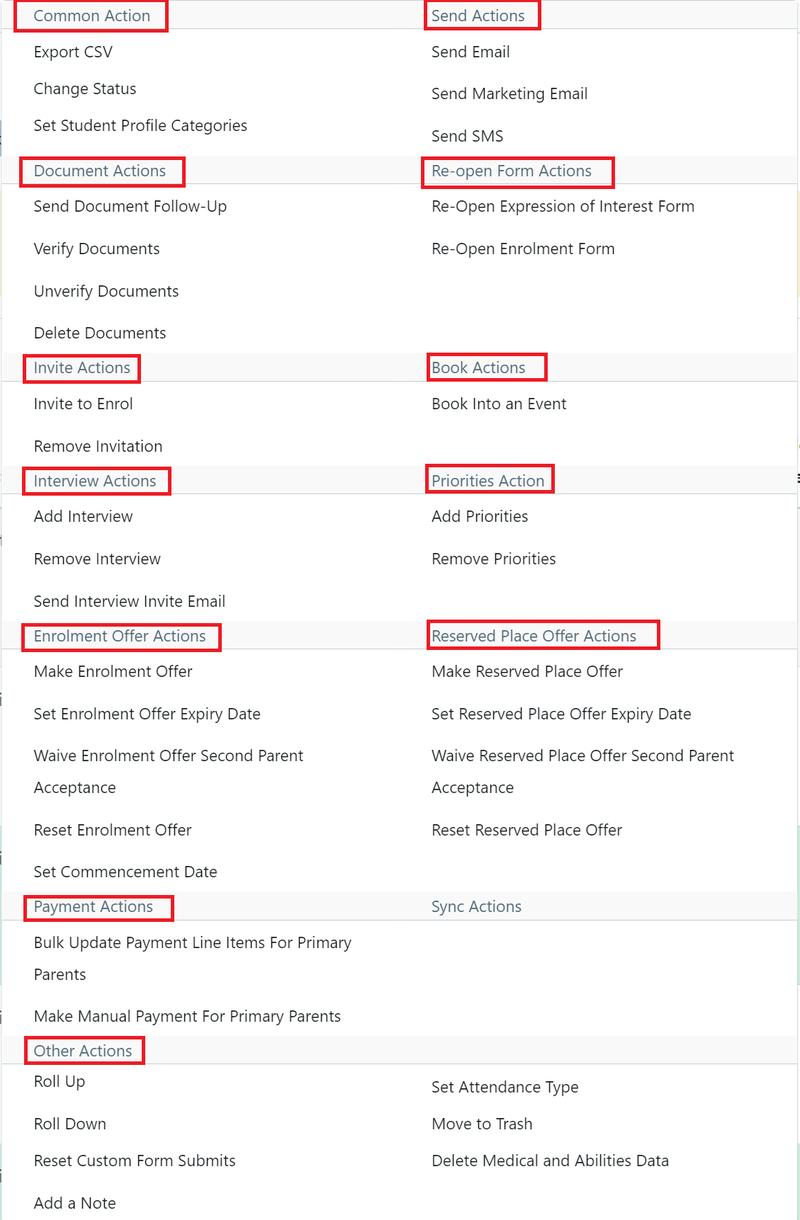
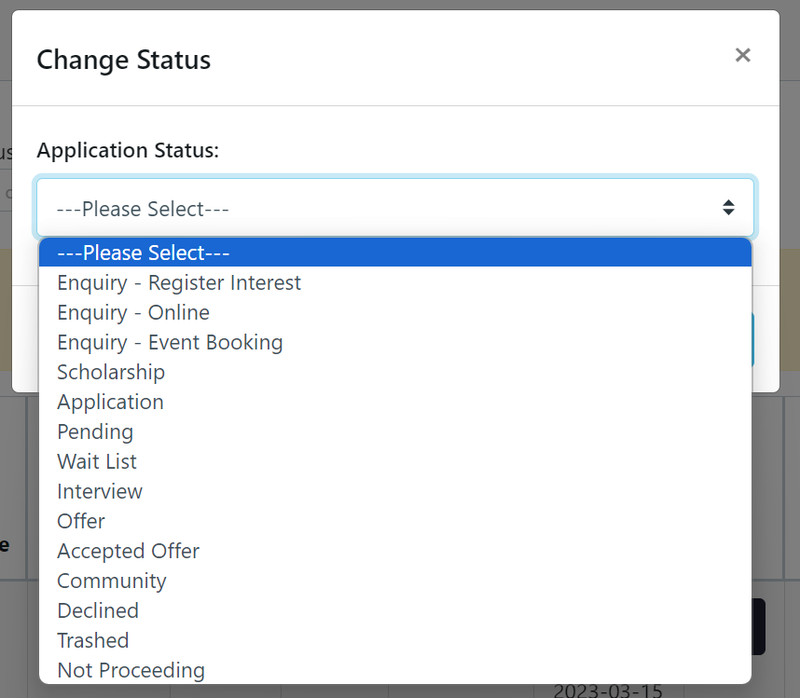
You may find the parent is no longer interested in completing their application. If so, you can put the older incomplete applications into the Not Proceeding Stage. This can be done in bulk in Contacts by clicking on Bulk Action, choosing Change Status and then selecting the Not Proceeding option.
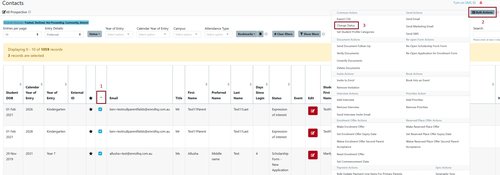
Bulk Actions are sorted by type:
Select Change Status:
Expression of Interest
Some schools wish to have a separate step for parents who are not ready to complete an application but want to register their interest to do so. They may be considering their options or their children are still too young. In this case, staff can ask parents to complete an Expression of Interest form which is a General Purpose Application (GPA). This form collects less information than the application form and allows staff to follow up when the time comes.
NB: This is an optional step. Many organisations just use the full enrolment form and skip this EOI stage. It can be re-labelled or repurposed as needed, for example as a Scholarship application, International student application or ELC application.
Schools using this form usually send an email to EOI parents inviting them to apply two years in advance and have their fee waived.