Parent 2 Can't Accept the Offer Letter Due to an Apostrophe
Sometimes we hear of the second parent is having trouble accepting the offer.
If a parent's name has an apostrophe (') this creates a fault.
Parents may use multiple platforms to complete the application and device systems (android/macOS/windows etc.) render the apostrophe (') differently which EnrolHQ cannot standardise.
To fix this issue the apostrophe (') needs to be removed from the parent's name.
Note: The apostrophe should be replaced prior to the data SYNC to your SIS.
Parent 2 Does Not Receive the Email to Accept the Offer
Emails being blocked are in most cases due to the parent's email settings.
- Please ensure that the parent's email address is current and correct without any spelling mistakes.
- Ask the parent to check their Junk mail folder.
- Copy the verification link/email from comms log and paste it into your outlook/school management system email and send it from there.
- Ask the parent for a different email address you can use.
Parent 2 Gets "Not valid" Error Message
This is due to one of the three verification questions being incorrect - normally because they have been incorrectly entered prior to the parent completing this form. This can happen on a manual import of data.
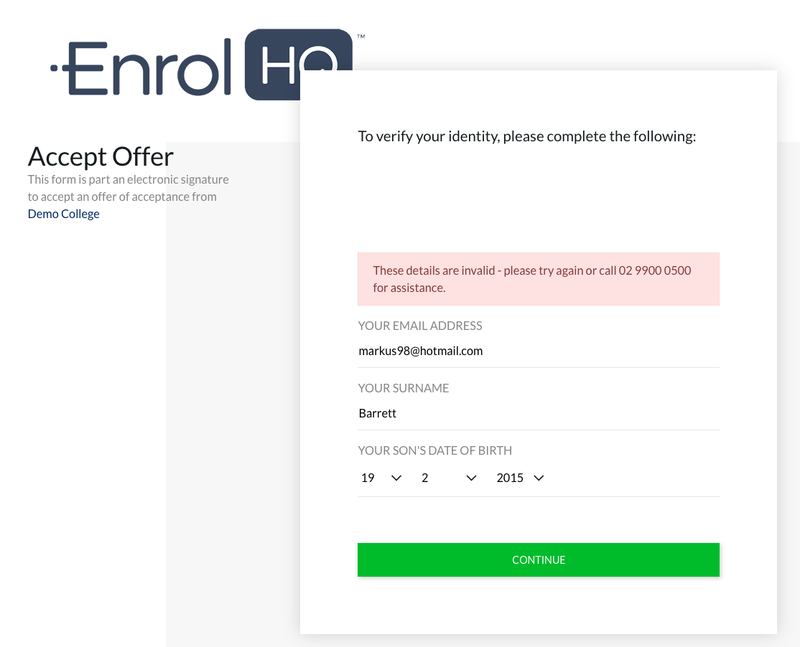
To fix the issue, double-check Parent 2's email and surname and the child's date of birth.
Updating these and saving will allow Parent 2 to finalise acceptance.
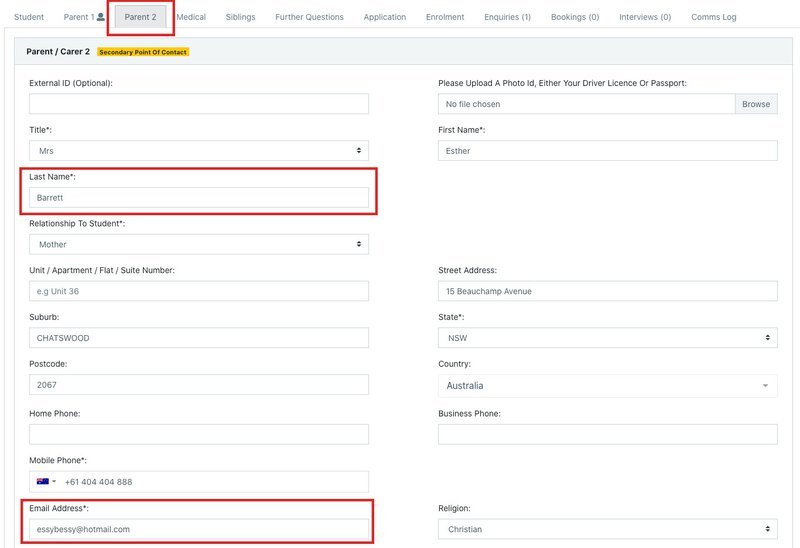
Support tickets are common where Parent 2 uses the incorrect email address to sign their application or offer. The non-user parent MUST use the email address and phone number registered under their information that is displayed in the Student Profile in EnrolHQ. If a parent has problems logging in, 99% of the time the problem is that he or she is using the wrong email address or contact number.
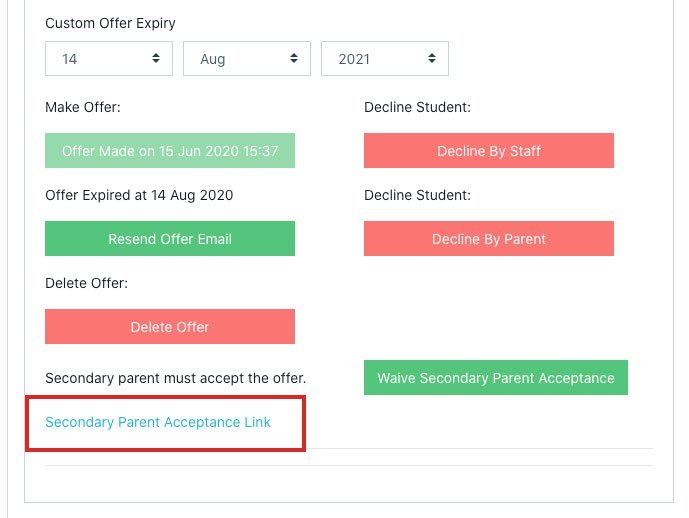
Note: You can see the Parent 2 Acceptance screen (and submit your answers) without accepting the place, by clicking the link under the Student Profile > Enrolment > Secondary Acceptance Link. This is a good way to verify the details are correct yourself, before going back to the parent.