
EnrolHQ has the ability to send marketing emails to prospective parents. Read this article to learn how to send marketing emails in bulk.
Bulk Send a Marketing Email
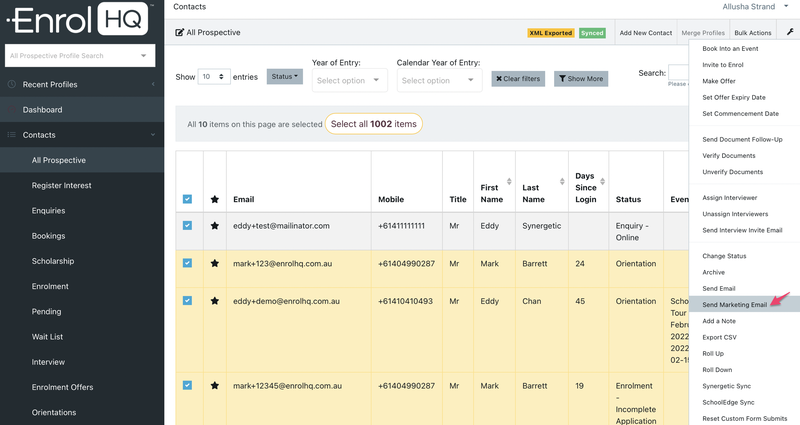
- Contact > All Prospective > Select the required Profiles > Bulk Action > Send Marketing Email
Create the Email Template
- Email Settings > Templates > Marketing
- Create a New Custom Marketing Email to send to Primary Carer, Secondary Carer or All Carers.
Parents by law will be able to unsubscribe or choose their own email preferences for marketing emails. EnrolHQ will automatically stop sending marketing emails based on the parent's preference.