
An example of how to send an email to multiple parents at once using bulk actions.
How to Send Bulk Emails
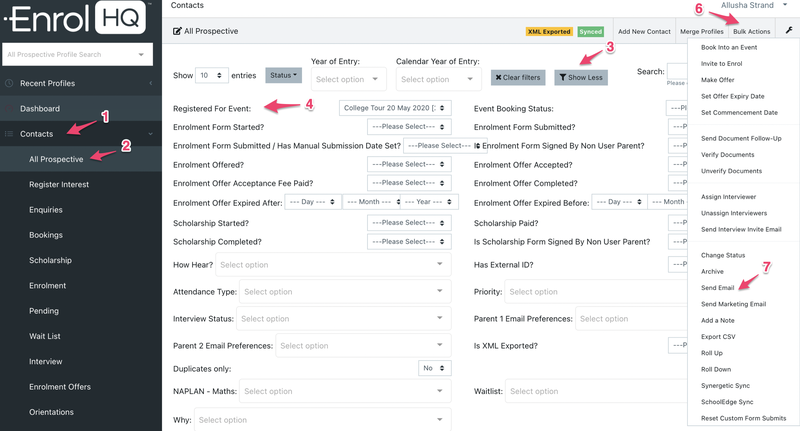
- Contacts > All Prospective.
- You first need to Filter for the recipients you want to send to
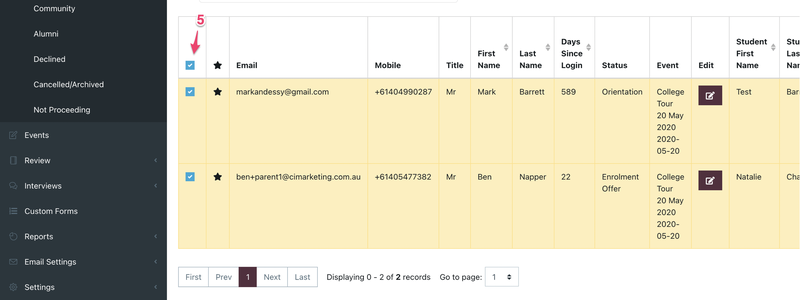
- Click the checkbox in the header to select all families who turn up in the filter
- Bulk Actions > Send Email
This example screenshot below shows how to filter for attendees who have booked into an event:
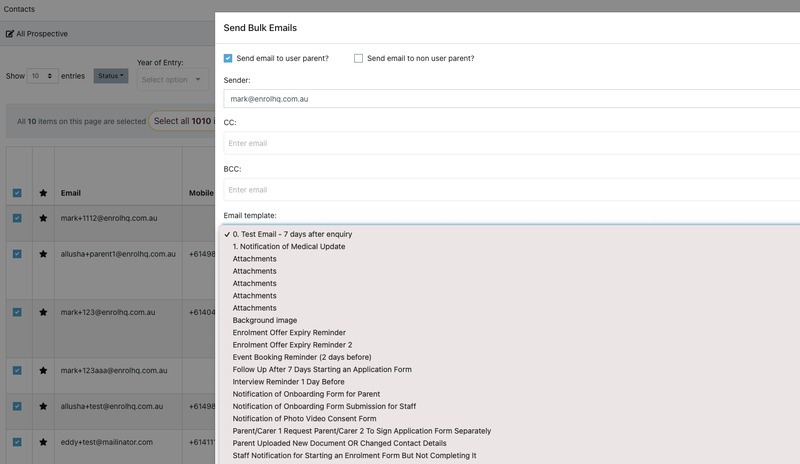
You will see all the Email Templates in the dropdown - you can select the one you created and then Preview and Send from this screen at the bottom. To check that emails have been sent, you can look at the Comms Log of individual recipients.
Bulk Action emails work best when restricted to 500 at a time and any additional documentation is provided by hyperlink.